
You found the perfect piece of have a good day clipart—a cheerful, smiling sun that’s exactly what your project needs. But just as you’re about to drop it into your design, a question pops into your head: Am I actually allowed to use this here? That single moment of doubt separates savvy creators from those who risk receiving a cease-and-desist letter. The line between using an image for a personal blog post versus a company’s marketing email is sharp, and understanding it is key to designing with confidence.
This guide is your playbook for navigating that line. We’ll demystify the licenses, point you to the right sources, and give you the framework to use cheerful clipart legally and effectively, whether it’s for a school bake sale flyer or your next big ad campaign.
At a Glance: Your Clipart Usage Cheat Sheet
- Personal vs. Commercial Use: Understand the critical difference. Personal use is for non-profit projects with a limited audience (e.g., a family newsletter), while commercial use involves anything that promotes a business or generates income.
- License Types Decoded: We’ll break down Royalty-Free (RF), Extended Licenses, and “No Rights Reserved” (Public Domain/CC0) so you know exactly what you’re getting.
- Safe Sourcing: Discover where to find reliable clipart for both personal and commercial projects, from free repositories to professional stock libraries.
- The “Free” Myth: Learn why “free to download” doesn’t automatically mean “free to use for anything.” This is the most common and costly mistake people make.
- Practical Steps: Get a simple, repeatable process for verifying licenses and choosing the right file format for your needs.
Understanding the Two Worlds of Clipart Licensing
Before you download a single image, the first question you must answer is: “What am I using this for?” Your answer places your project into one of two distinct categories: personal or commercial. This isn’t just jargon; it’s the legal foundation that determines which clipart you can use and how.
What Qualifies as “Personal Use”?
Personal use, often called “non-commercial use,” refers to any application that isn’t intended to make money or promote a business. It’s for you, your family, your classroom, or your small community group. The audience is typically small and the intent is purely informational or celebratory.
Common examples of personal use include:
- A digital invitation for a child’s birthday party.
- A “Have a Great Day!” sign printed for a classroom door.
- Graphics for a non-monetized personal blog about your gardening hobby.
- A family holiday newsletter sent to relatives.
Sources like ClipArtMag, which offers a curated collection of 44+ “Have A Good Day” images, are often geared toward these projects. Their licenses typically allow you to download and use the art for personal designs without a fee, but explicitly forbid using it to sell products or market a service.
What Defines “Commercial Use”?
Commercial use is much broader than most people assume. It covers any use that directly or indirectly promotes a business, product, or service with the goal of generating revenue. If the clipart is touching any part of your business, it’s commercial.
This includes obvious and not-so-obvious scenarios:
- Direct Profit: Using clipart on merchandise you sell, like t-shirts, mugs, or greeting cards.
- Marketing & Advertising: Placing an image in a promotional email, a social media ad, or a company brochure.
- Brand Assets: Incorporating clipart into a business website, a presentation for clients, or internal training documents.
- Editorial Content: Using an image in a monetized blog post or a YouTube video that runs ads.
Case Snippet: The Coffee Shop Dilemma
A local coffee shop wants to add a friendly “Have a Brew-tiful Day!” graphic to its digital menu. Even though they aren’t selling the image itself, the menu promotes their business. This is a clear case of commercial use, and they would need clipart with a commercial license.
Your Go-To Sources for Personal “Have a Good Day” Graphics
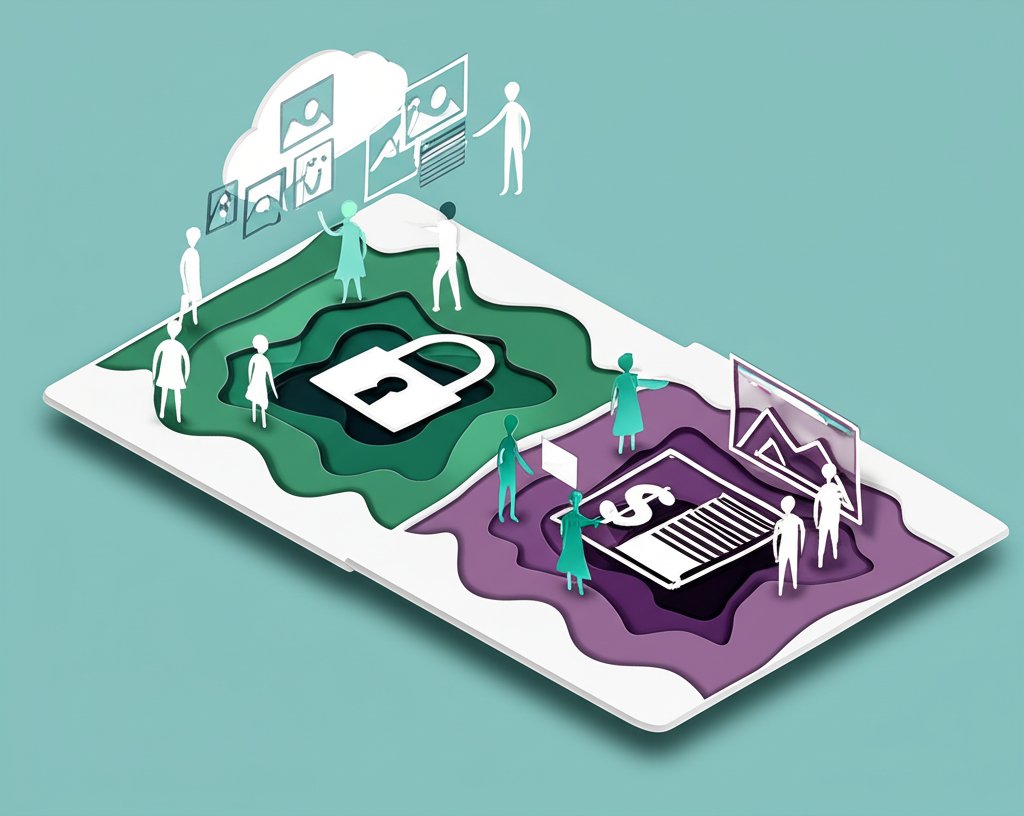
When your project is strictly personal, you have a wealth of creative options. Many talented artists and websites offer their work for free, provided you’re not using it for commercial gain. These sources are perfect for adding a personal touch without a budget.
When exploring different art styles and options, a comprehensive resource can give you a bird’s-eye view. For a broader look at available styles, from vintage to modern minimalist, our primary Good Day Clip Art Guide provides an excellent overview. Once you have a style in mind, you can narrow your search to sites specializing in personal-use graphics.
A Quick Checklist for Personal Use Images:
- Read the Terms: Look for a “Terms of Use,” “License,” or “FAQ” page. Does it explicitly state “for personal use only” or “non-commercial use”?
- Check for Attribution: Some artists allow free personal use as long as you provide credit (e.g., “Clipart by [Artist Name]”). Make sure you’re comfortable with this requirement.
- Confirm Restrictions: Can you modify the image? Are you allowed to share it? Most licenses only grant you the right to use the final design, not to redistribute the original clipart file.
Navigating the Commercial Clipart Landscape Safely
For any business-related project, you must source your clipart from libraries that grant clear commercial rights. Guessing is not an option. Fortunately, there are several reliable licensing models designed specifically for professional use.
The Gold Standard: Royalty-Free (RF) Licenses
Don’t let the “free” part of the name fool you. Royalty-Free doesn’t mean there’s no cost; it means you pay a one-time fee to license the image and can then use it multiple times for various projects without paying additional royalties for each use.
This is the most common and versatile commercial license. Premier stock sites like iStockphoto are built on this model, offering vast libraries—their collection includes over 69,200 “have a good day” illustrations alone. These collections are not just generic smiley faces; they span themes from holidays like Thanksgiving and St. Patrick’s Day to concepts like environmental conservation, friendship, and patriotism.
Scenario: The Marketing Agency
An agency is creating a “Have a Good Day” themed email campaign for a client in the real estate business. They purchase a Royalty-Free license for a vector of a smiling house. They can use that image in the email, on the client’s social media channels, and on a related website landing page—all under the single license.
The Unicorn: “No Rights Reserved” and Public Domain
The most permissive category of all is Public Domain, often designated with a Creative Commons Zero (CC0) or “No Rights Reserved” license. This means the creator has waived all rights to their work. You can copy, modify, distribute, and use the image for any purpose, personal or commercial, without asking for permission or giving attribution.
Websites like Clipsafari offer clipart under this model. They explicitly state their images can be used for commercial purposes, even in Microsoft Office documents or on printed posters. This is an incredible resource for startups, non-profits, or any business on a tight budget. The trade-off is that selection and artistic quality can be more limited compared to premium paid sites.
Comparing Commercial License Types at a Glance
This simple table breaks down the most common options for your business.
| License Type | How It Works | Best For… | Potential Pitfall |
|---|---|---|---|
| Royalty-Free (RF) | Pay a one-time fee for broad, perpetual usage rights. | Most business needs: marketing, web design, presentations. | License may have limits on print runs or forbid use in logos. Always read the fine print. |
| Extended License | An add-on to an RF license for use on items for resale. | T-shirts, mugs, posters, and other merchandise. | Significantly higher upfront cost than a standard RF license. |
| No Rights Reserved (CC0) | Completely free for any use, no attribution needed. | Quick projects, startups on a budget, social media graphics. | Quality and selection can be inconsistent; the same image may be used by many others. |
From Download to Design: A Practical Playbook

Finding the right image is only half the battle. Using it correctly ensures your design is both beautiful and compliant.
Step 1: Verify the License (Every Single Time)
Never assume. Before you hit “download,” find the licensing information. It’s often a small link near the download button or in the website’s footer. Take a screenshot or save a PDF of the license terms in the same folder as your image file. This creates a record you can refer to later if any questions arise.
Step 2: Choose the Right File Format
Clipart comes in several formats, and picking the right one saves you headaches.
- PNG (.png): The hero of digital design. This format supports transparent backgrounds, allowing you to place the clipart over colored backgrounds or photos without a clunky white box around it. Perfect for websites and social media.
- JPEG (.jpg): Best for rectangular images without a need for transparency. It produces smaller file sizes but can lose quality if edited and saved repeatedly.
- SVG (.svg) / EPS (.eps): These are vector formats. Unlike PNGs and JPEGs, which are made of pixels, vectors are made of mathematical paths. This means you can scale them to any size—from a tiny icon to a giant billboard—with no loss of quality. Professional sites like iStock often provide vector options.
Step 3: Integrate and Customize (When Allowed)
A great piece of have a good day clipart should enhance your design, not overpower it. Check if your license allows for modifications. Most commercial and CC0 licenses do. You can then:
- Recolor the art to match your brand’s palette.
- Combine it with other elements, like text or shapes.
- Use only a portion of the clipart to fit your composition.
This small step can make generic clipart feel custom-made for your project.
Quick Answers to Common Clipart Questions
Navigating the world of image licensing can be confusing. Here are crisp answers to the most frequently asked questions.
Q: If a clipart is on Google Images, can I use it for my business?
A: Almost never. Google Images is a search engine that indexes images from across the web; it is not a library of free-to-use content. Most images you find are copyrighted. You must click through to the original source website to investigate the license. To be safe, assume an image is fully copyrighted unless you can find an explicit license stating otherwise.
Q: What’s the real difference between “free” and “royalty-free”?
A: This is a crucial distinction. “Free” means there is no monetary cost to download the file, but it almost always comes with strict usage limitations (e.g., personal use only, requires attribution). “Royalty-free” is a commercial licensing model where you pay a one-time fee to use the image multiple times for approved purposes without paying ongoing royalties.
Q: Do I need to give credit or attribution to the artist?
A: It depends entirely on the license. Standard commercial licenses (Royalty-Free) and Public Domain (CC0) works do not require attribution. However, some free licenses, especially those on artist-driven platforms, do require you to credit the creator. The license agreement is the final authority—always read it.
Q: Can I use “have a good day” clipart to create a logo for my company?
A: Generally, no. Standard clipart licenses (even commercial ones) forbid using the artwork as a trademark, service mark, or logo. This is because the artist retains the copyright and licenses the same image to many different customers. A logo must be unique to your brand. For a logo, you need to hire a designer to create a custom work or purchase an exclusive license to an image, which is very different and much more expensive than a standard RF license.
Choosing the right have a good day clipart is about more than aesthetics; it’s about making a smart, legally sound decision for your project. By starting with your end-use in mind—personal or commercial—you can immediately filter your search to the right sources and license types. Keep the license terms with your project files, and you’ll be able to add that perfect spark of positivity to your designs with complete confidence and peace of mind.

- Have a Great Day Clip Art to Brighten Your Digital Creations - January 19, 2026
- Have A Good Day Clipart For Your Personal and Commercial Designs - January 18, 2026
- Have a Good Day Clip Art to Brighten Your Digital Designs - January 17, 2026